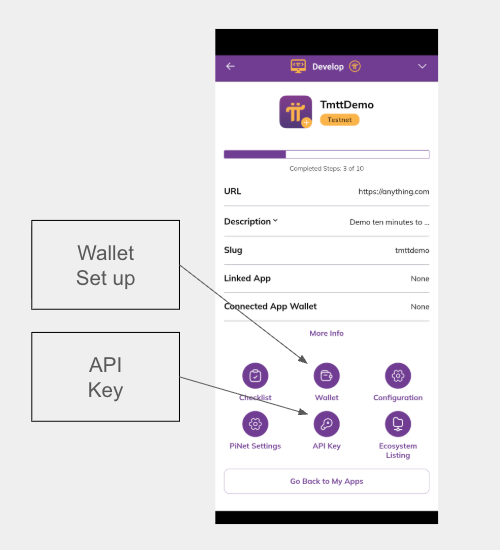
Register Your App
Before developing your app, you need to register it in the Pi Developer Portal. This process includes:
- Providing necessary information about your app.
- Receiving an API key for your app.
- Setting up a wallet for your app.
Access the Pi Developer Portal in Pi Browser by navigating to
pi://develop.pinet.com. Alternatively, click the “Develop” menu icon on the
Pi Browser home page.
To register a new app, tap the “New App” button. To view an existing app, click its tile. This opens the app dashboard, where you can view and edit its information.
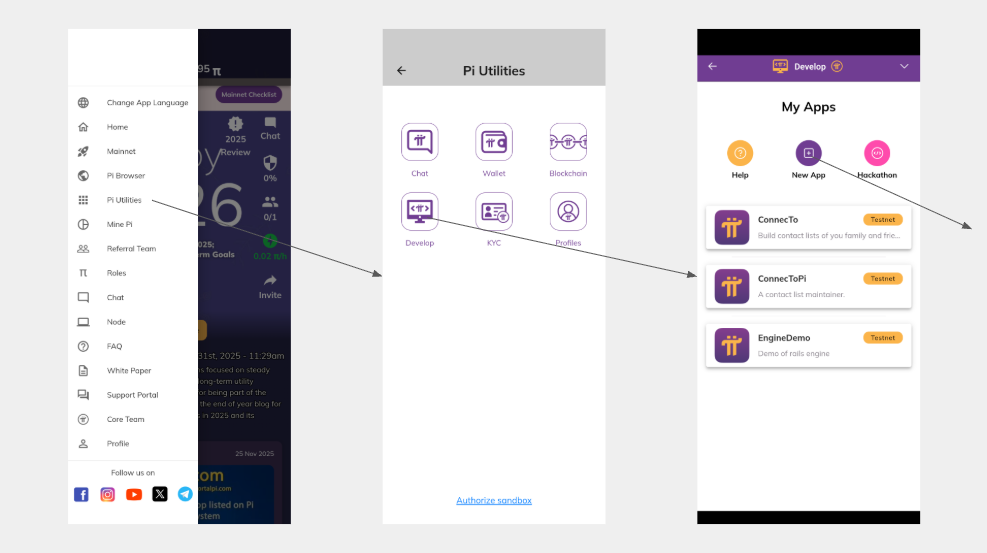
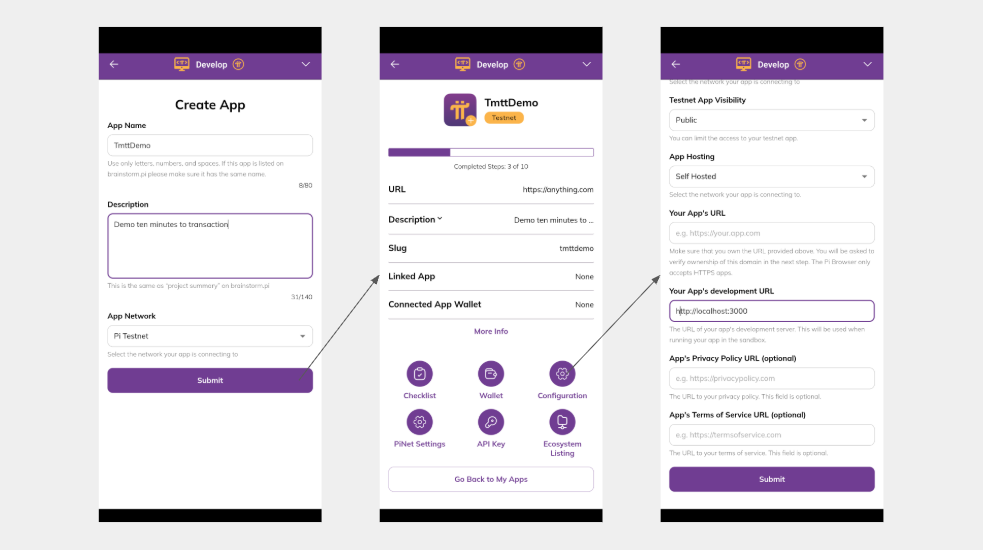
Make sure you fill in the following fields:
- App Name
- Description
- Your app’s development URL
- This should be the local endpoint where your development server is listening.
- For example,
http://localhost:3000is the default for many web development frameworks.
At this point, get an API key for the app. Clicking “API Key” guides you through that process. Once completed, also create a wallet for the app. This wallet will receive Pi payments from your app. It is crucial to securely store and protect the wallet’s private key.